
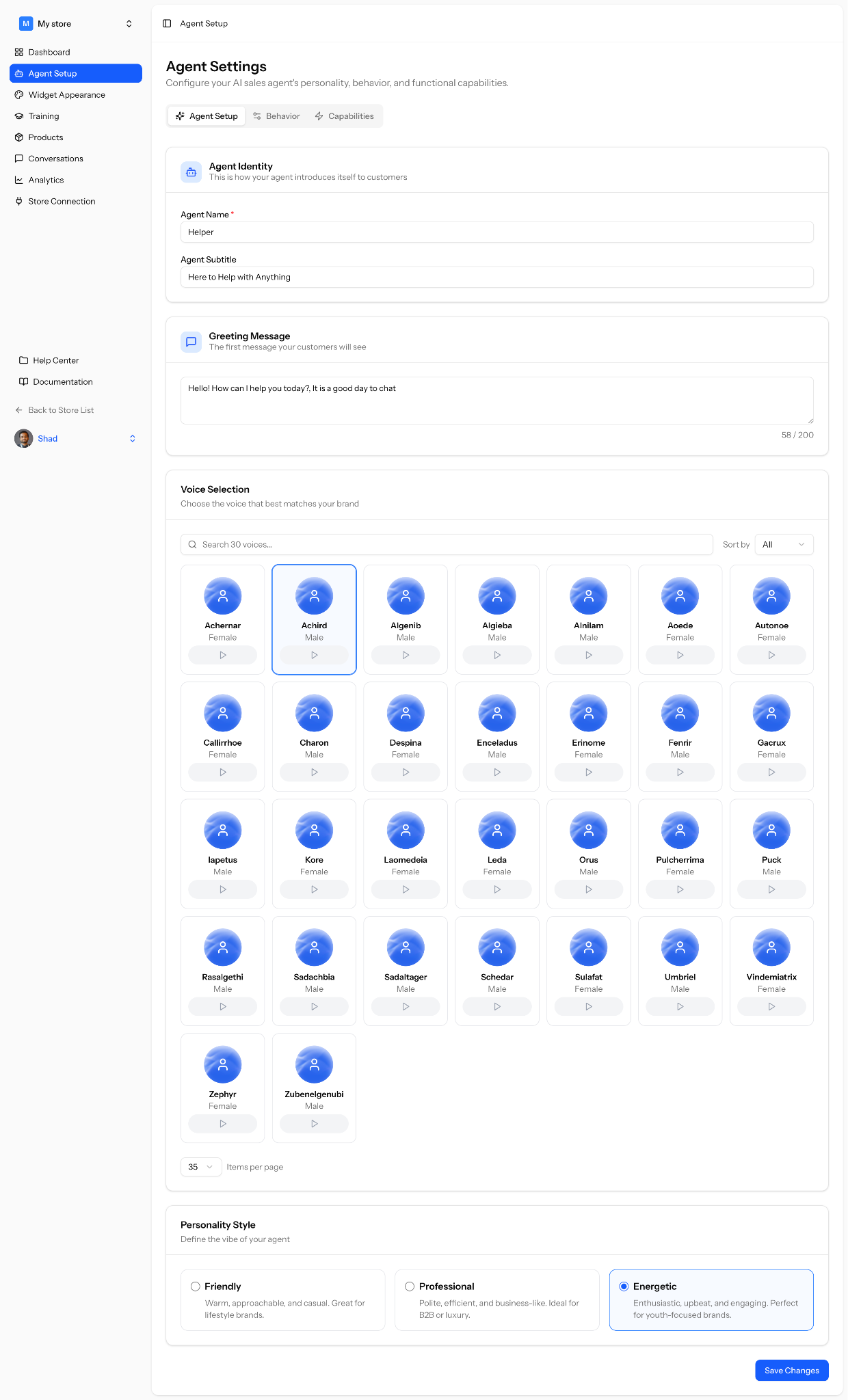
Go to the Stores→ (Your Store Name). There you will find the Agent Setup option.
In the first tab, you need to setup your agent name, subtitle, greeting message, choose a voice (you can preview the voices before choosing) from the list of more 35 voices, personality type and save the changes.
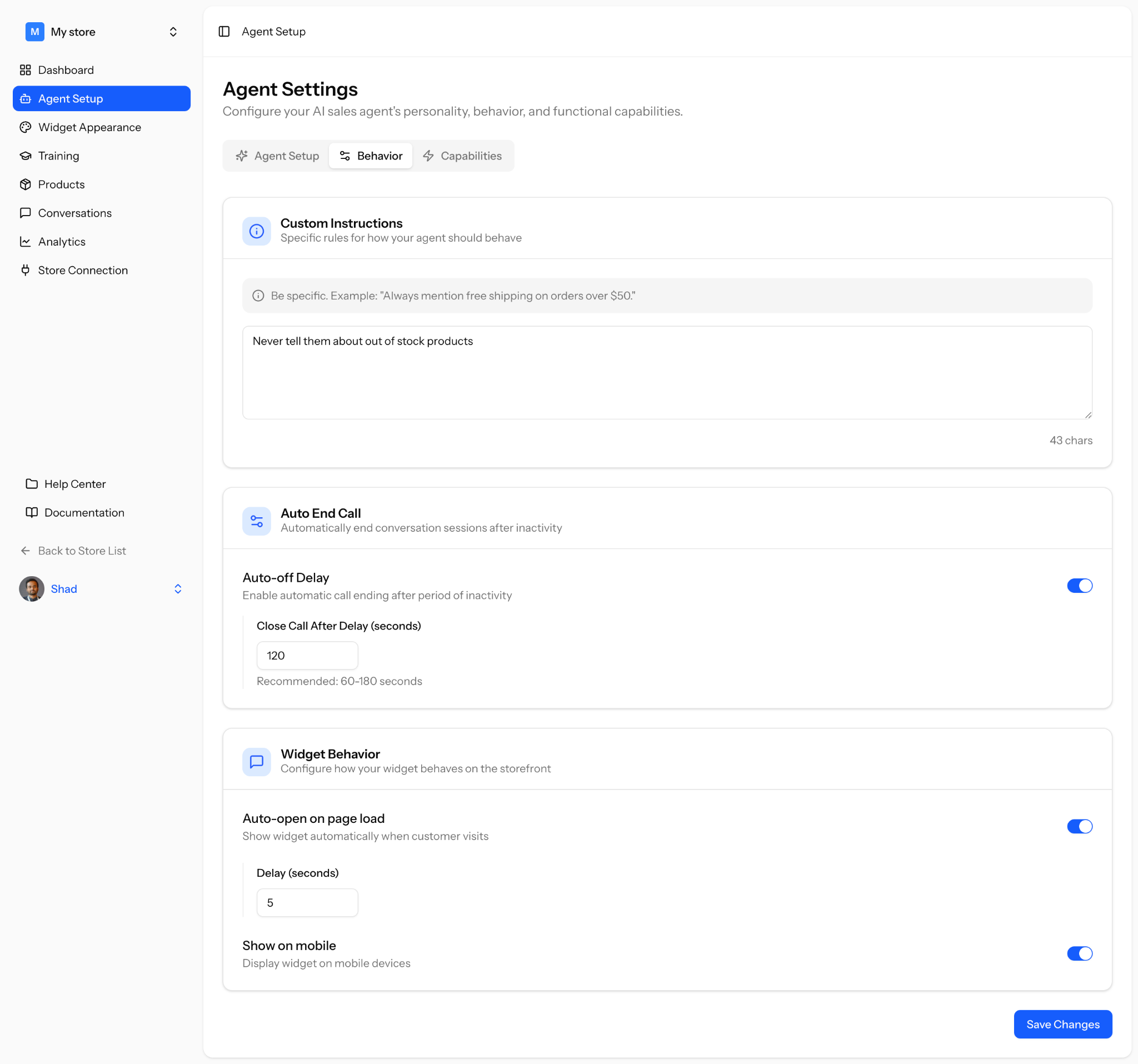
Then, on the Behavior tab, you need to configure any instruction you want to provide, select when to end call if there is no activity, when to open the chat after the page is loaded-
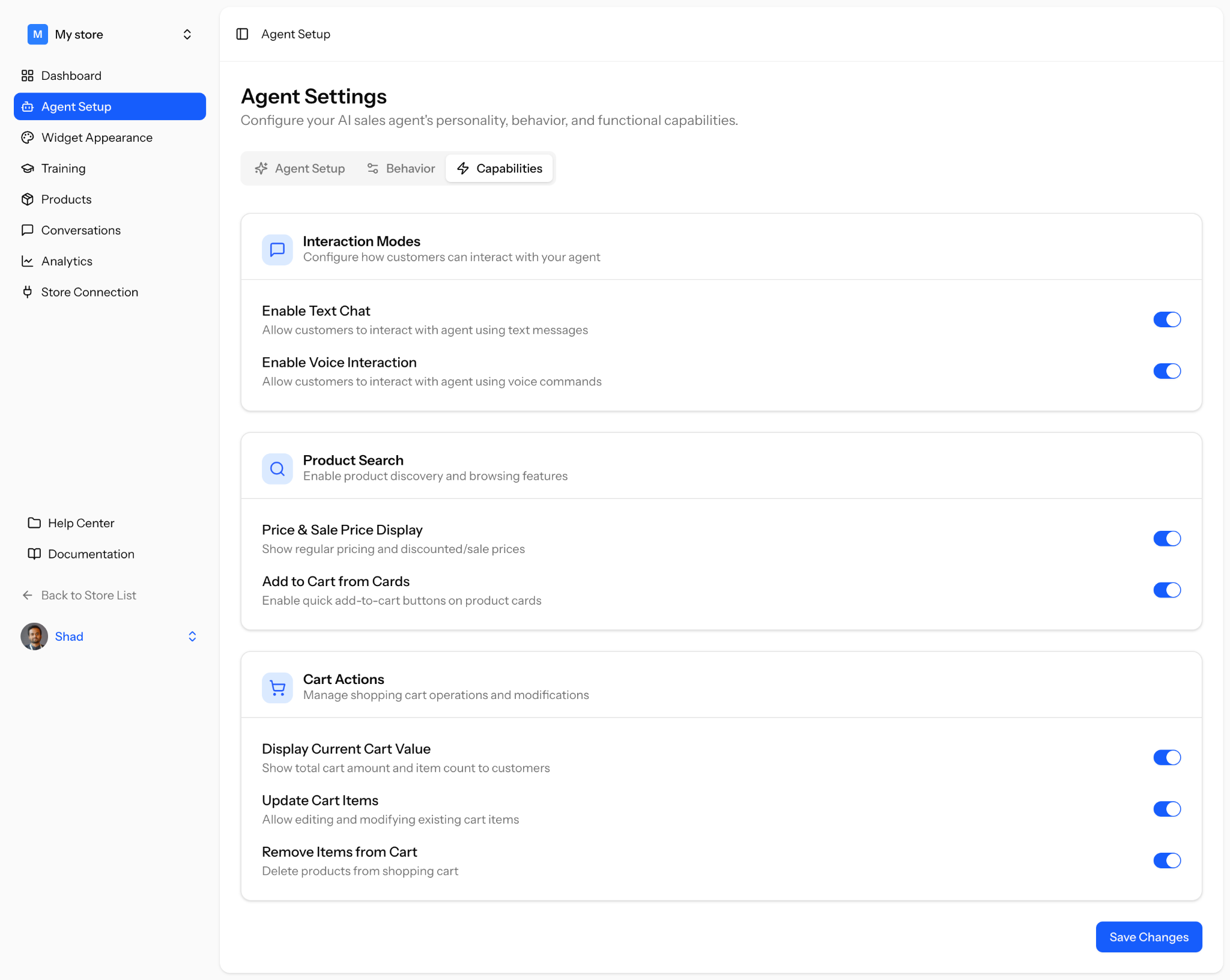
In the Capabilities tab set up how your AI sales agent works, talks, and helps your customers.
Interaction Modes
Choose how customers can interact with your agent.
Text Chat
Let customers chat with your agent using text messages.
Voice Interaction
Let customers talk to your agent using voice commands.
Product Search
Help customers find and explore products easily.
Price & Sale Price Display
Show regular prices and any discounts clearly.
Add to Cart from Cards
Let customers add products to their cart directly from product listings.
Cart Actions
Control how customers manage their shopping cart.
Display Current Cart Value
Show total price and item count in the cart.
Update Cart Items
Allow customers to change quantity or edit items in the cart.
Remove Items from Cart
Let customers remove products from their cart.
Save all your updates to apply them to your agent.